


Dashboard
Tabs
Dashboard
Once logged in, users will be taken to their Dashboard. The Dashboard area provides access to Courses, Groups, Tests, Surveys, Forums, and other features including the Calendar, Mail, Notes, Favourites, and Tags.
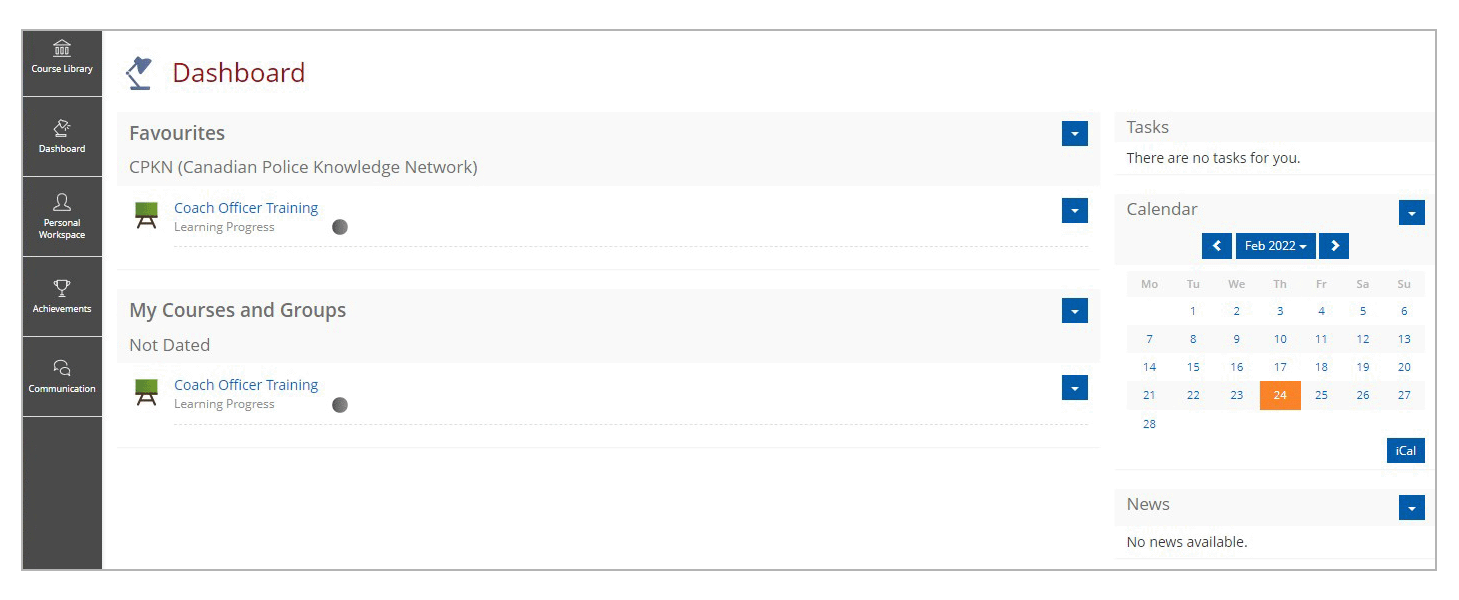
This area is customizable by the user but is pre-set to include Favourites, My Courses and Groups, Calendar, Tasks, and Mail. A user can customize or hide these items from the Dashboard.
Click each of the panels to learn more about the elements of the dashboard.
Users may use this feature to save external web links or import files for future reference. Please note the full URL is required (i.e., http://www.cpkn.ca) If you try to use just www.cpkn.ca, an error message will appear.
This area provides users with an overview of the courses that they are enrolled in and any groups they registered to. The Courses and Groups can be sorted by alphabetical order, by type, by date, or by location.
This area provides users with an overview of forum posting, assignment due dates, grading for tutors, and reminders about end dates for surveys/courses with limited timeframes.
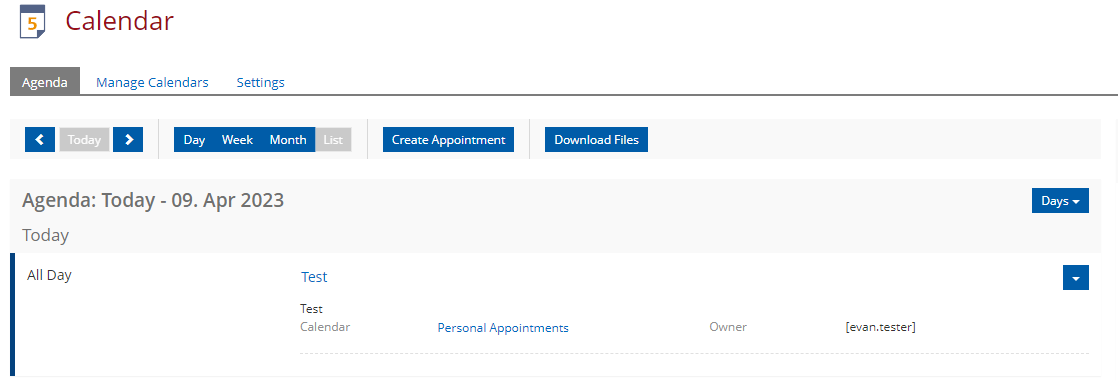
The calendar can be used to schedule learning events. It can also be synced with other calendars such as Outlook or Google Calendar.
This area contains current and past news for your organization as posted by portal administrator. This feature can be enabled or disabled in the Administration settings.
This area will show any emails received from the LMS.
Customize Your Dashboard
A user's dashboard will show their favourited courses, enrolled courses, calendar, and tasks. The user can customize the sorting of the course sections by clicking the actions dropdown on the title header area.
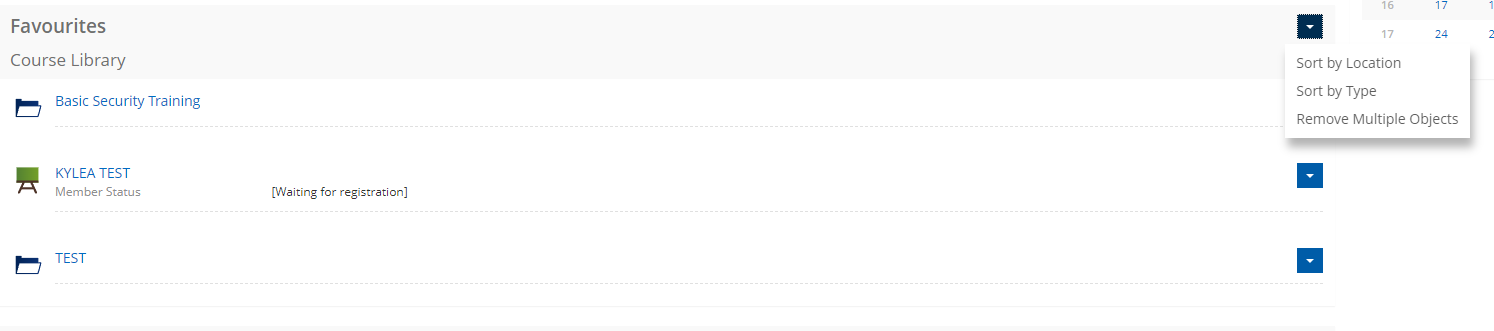

A user can add or remove an item to their favorites by clicking the actions menu (the blue box with the caret) and clicking "add to favourites" on the item, or if the item is already a favourite, they can click "Remove from Favourites".
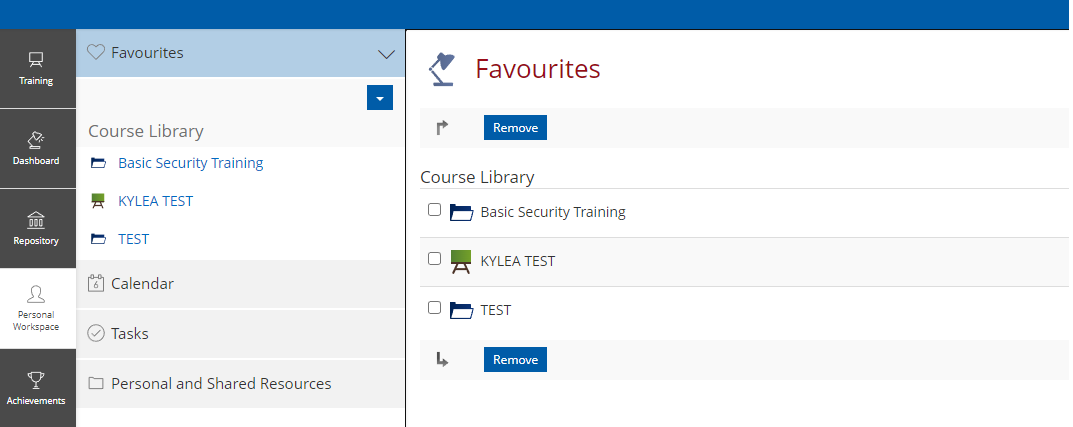
Favourites can also be configured under the "Personal Workspace" menu item. This menu will also allow a user to configure their calendar, tasks and resources. For the calendar options, a user can add appointments, view their agendas, manage, add, and share calendars, and also set their calendar settings (timezones, input formats etc).