


Administration
Tabs
Portal administrators will have an ‘Administration’ tab on their main navigation bar. From here, the portal administrator can view, organize, and manage a range of portal services.
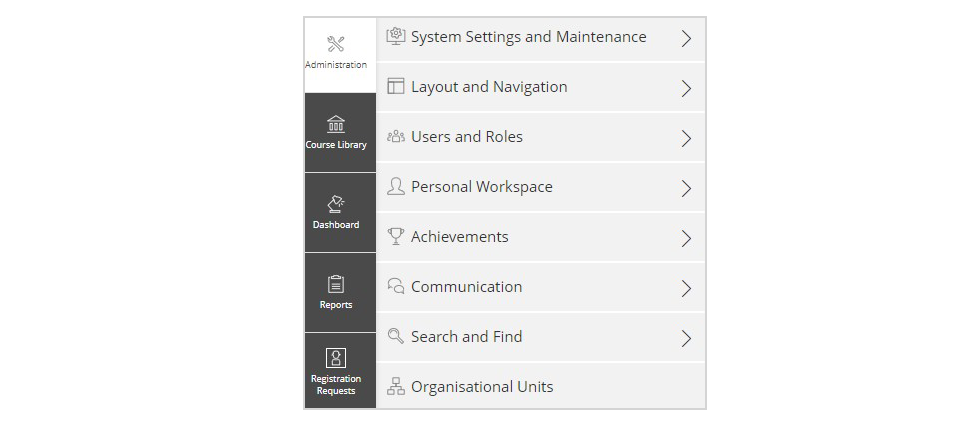
System Settings and Maintenance
- General Settings: contains the server information for your portal. This is an information page and cannot be edited. If you have any questions regarding portal settings, please contact the Support Desk.
- Repository Trash and Permissions: contains information about the various course catalogues in the course library and the various permissions that users have in the portal.
Layout and Navigation
Layout and Styles: contains system styles, content styles, and page layout settings. You can use this page to change or upload these various styles and layouts.
Users and Roles
User Management: here, portal administrators can create, update, and inactivate users.
Personal Workspace
User Management: here, portal administrators can create, update, and inactivate users.
Achievements
Statistics and Learning Progress: here, portal administrators are able to generate statistics pertaining to course completions, usage, learning progress, and session statistics.
Communication
This section is not applicable to portal administrators.
Search and Find
This section is not applicable to portal administrators.
Organizational Units
This section shows the organizational chart for your organization or department. This section is customizable, but portal administrators should contact the Support Desk for any questions or changes that may be required for this area.
Extending ILIAS
This section is not applicable to portal administrators.
Repository Objects
In this section, you will be able to edit general settings for courses.