

User Creation
Tabs
Click each of the steps to learn more about user creation.
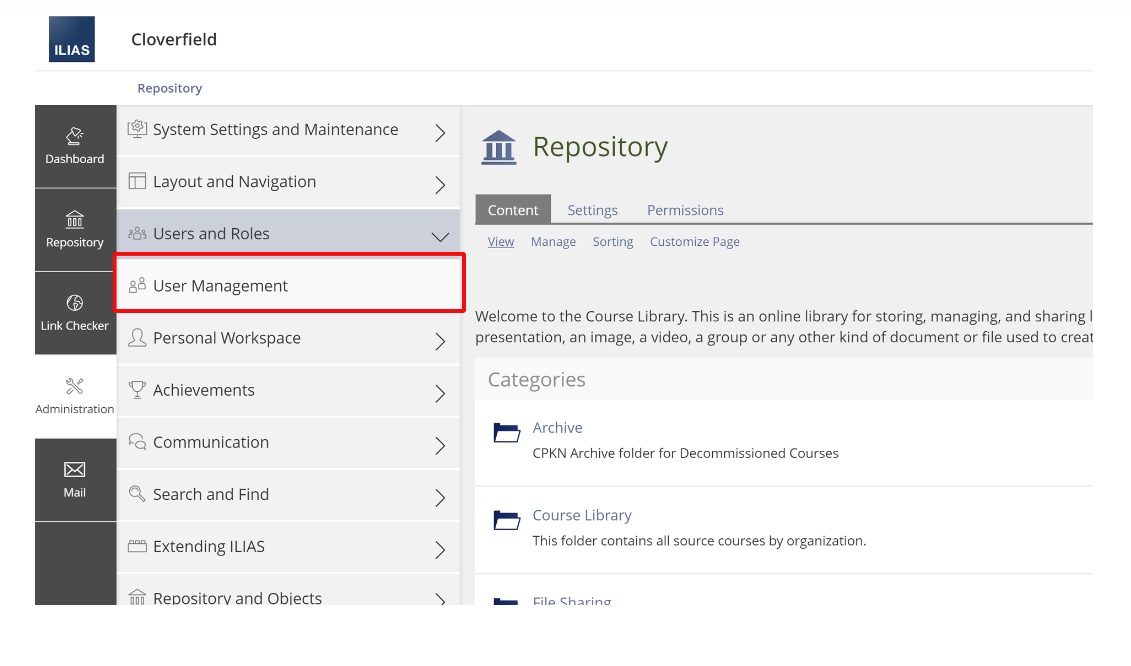
Click ‘Administration’ followed by ‘Users and Roles’, and then ‘User Management.’
Click ‘Add User’ to create a new account.
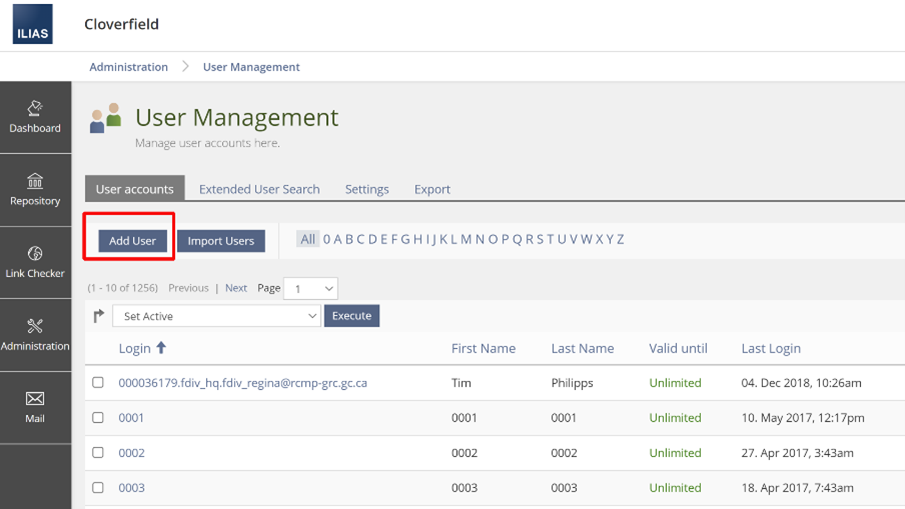
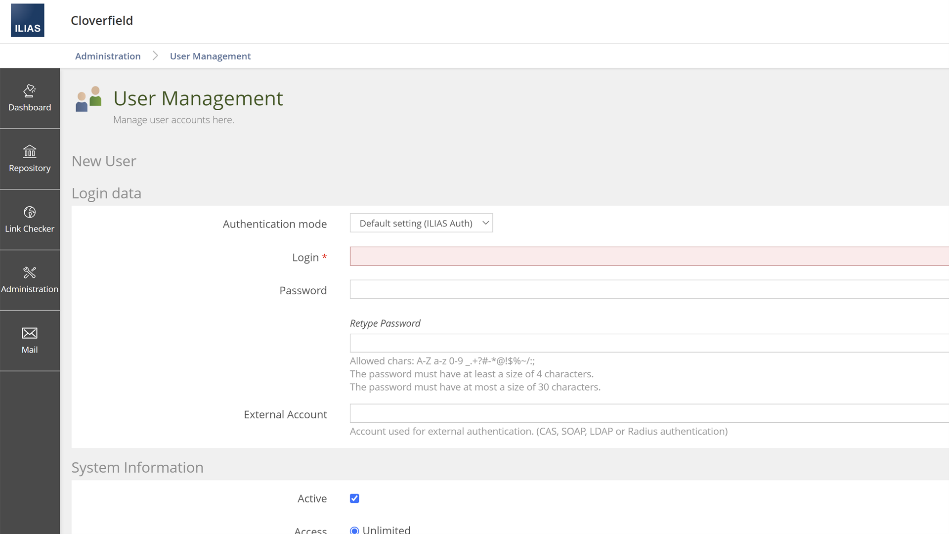
Once you have clicked ‘Add User’, a new screen will appear, this is where you will enter the information for the account.
The critical fields to complete on this page are Login (Username), Password, First Name, Last Name, Email.
At the bottom of the screen, select the checkbox for ‘Send mail to inform user about changes’ if you want to send an email notification to the new user. If unchecked, no email notification will be sent.
Click ‘Save’ to complete the request.
If you have a subscription to the CPKN Catalogue you will also need to make sure your users have the correct role. If you have any questions please reach out to support@cpkn.ca