



Requesting a Course
Tabs
Click the panels to follow along with how to request a course.
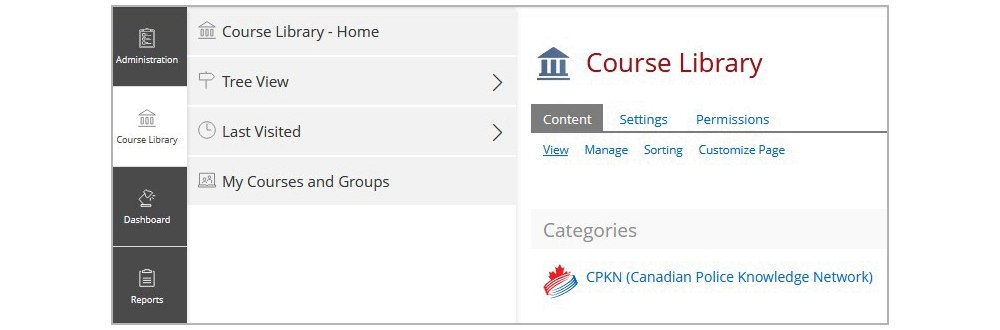
Click the ‘Course Library’ tab, then on the ‘Course Library – Home’. Next, click on the catalogue in which the course resides (under the Categories section).
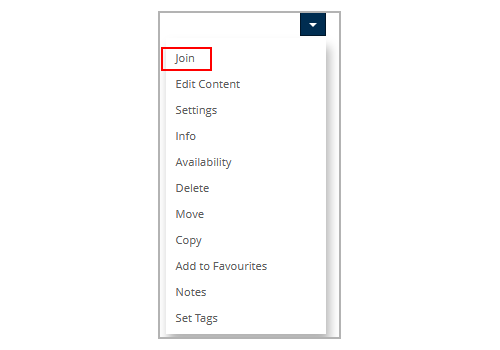
Locate the course that you are wanting to request access to. Using the drop-down arrow beside the course title and select ‘Join.’
Custom Portals
If it’s a custom portal with a course subscription, users will be able to directly join the course by clicking ‘Join’.
If it’s just a custom portal, users will be prompted to add a message to the portal administrator indicating why they would like to be enrolled in the course. The user will then be directed to a confirmation page indicating the request has been sent. Once approved or denied, the user will receive an email stating they have been registered or not.