



Registration Requests Tab
Tabs
What are Registration Requests?
When a course's registration procedure is set to 'Request Membership' prospective students will need to be given course access by an administrator. When students attempt to register for the course they will make a request with an optional reason. These course requests will need to be reviewed and approved or denied by a course admin.
These requests can be viewed at the course level in the member's tab however, an overview of all course requests can be viewed via the 'Registration Requests' menu item.
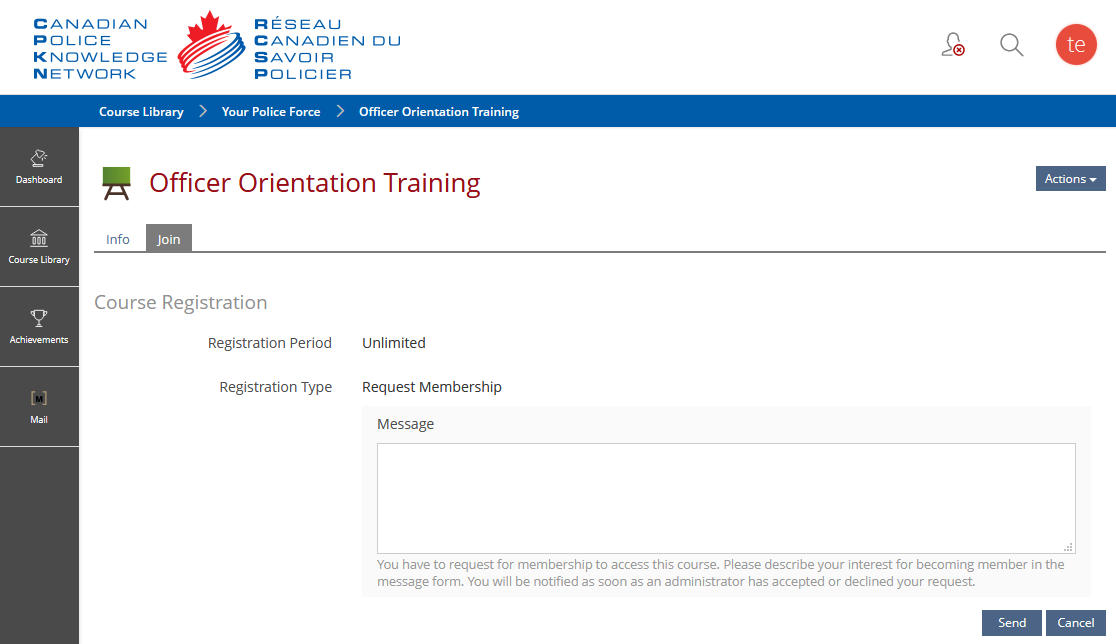
Viewing Registration Requests
1. Click ‘Registration Requests’ in the menu bar. Then click ‘Requests’. It is on the Requests screen that you can see a list of all the requests.
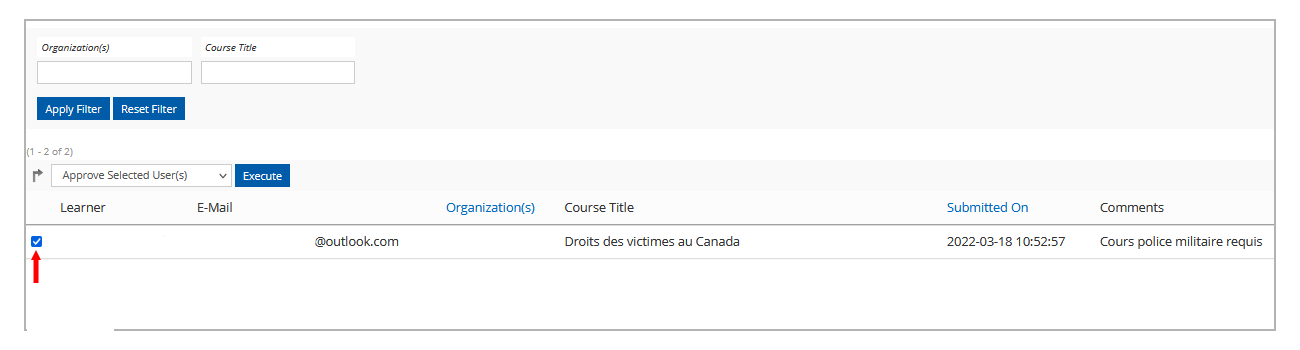
2. Select a user(s) by clicking on the box next to their name(s).
3. At the top of the page, select 'Approve Selected User(s)' or 'Reject Selected User(s)', then click 'Execute'.

Note:
✔ Approved – The user would be granted access to the course. An automated enrollment email from the system would be sent out.
✖ Rejected – The user would be declined access to the course. An email notifying that they were rejected from the course would automatically be sent.