


Users Per Organization, User Per Role, and User Per Test
Tabs
With ‘Users Per Organization’ you can choose one or multiple Organizational Units (OUs) and obtain a list of all users who are members. ‘User Per Role’ works the same way but relates to global roles in the system rather than OUs.
Click each panel to follow along with the steps.
Step 1
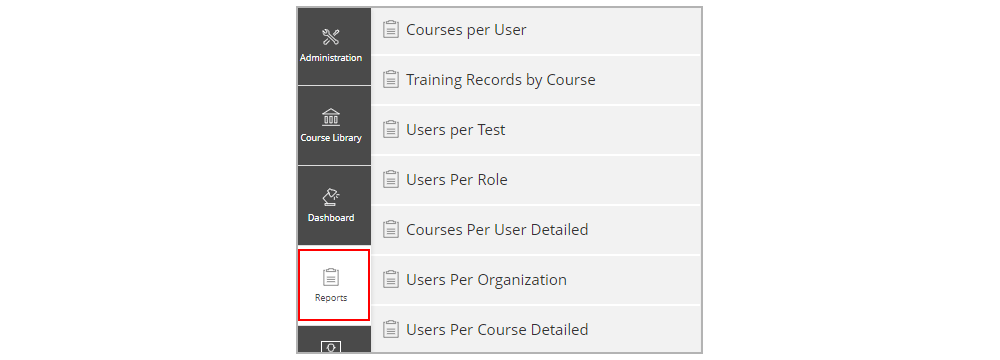
From the ‘Reports’ tab click ‘Users Per Organization’ or ‘Users Per Role’ or ‘Users per Test’.
Step 2
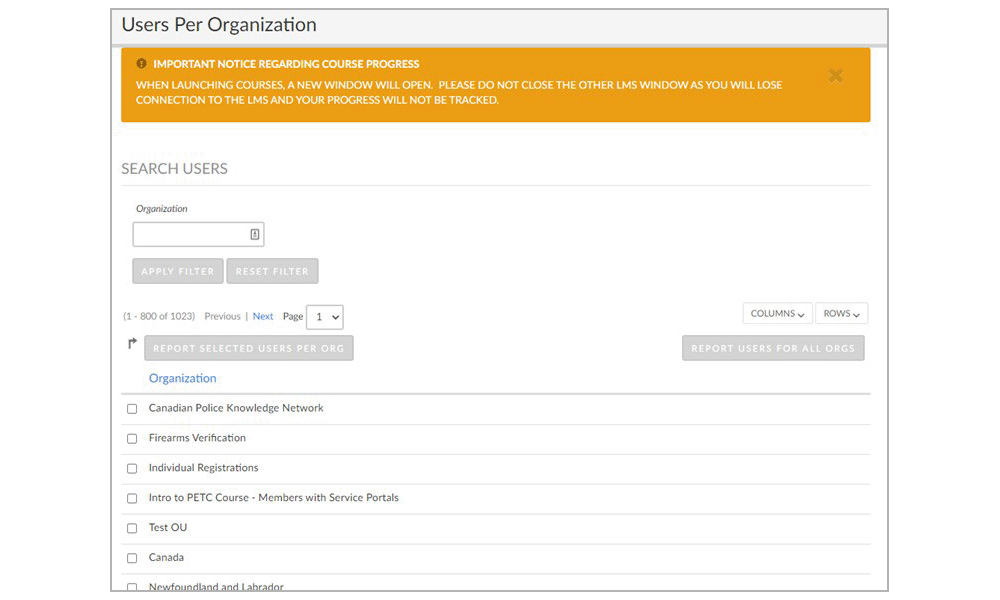
Choose the desired OU, Role, or Test by checking the box next to it. Click ‘APPLY FILTER’.
Step 3
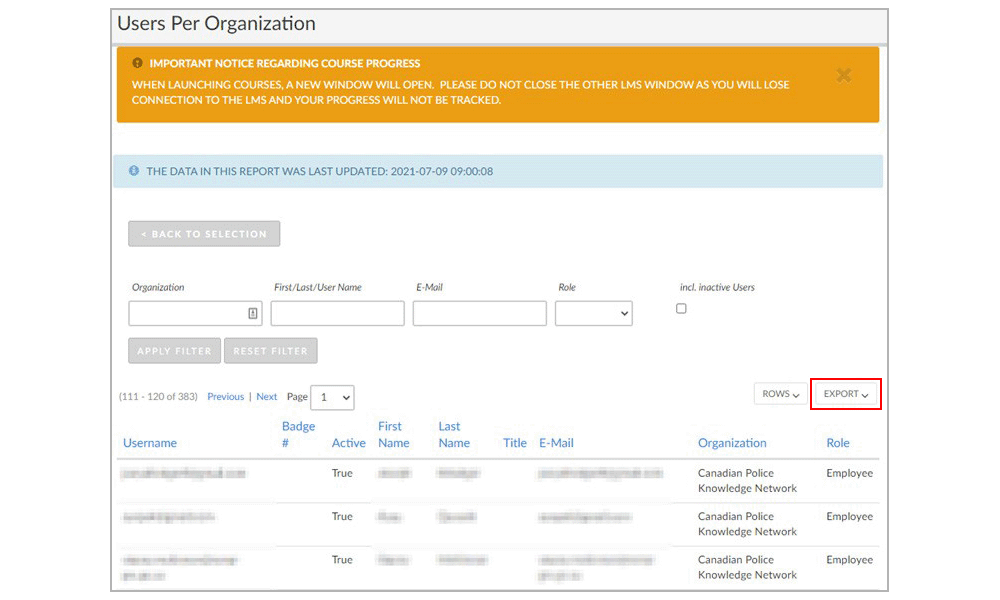
From here, you can look at the record, and export this information to a .csv or .xlsx file through the ‘Export’ button.